- The Generative Path
- Posts
- Weavy, Layered Scenes, and the Future of Motion
Weavy, Layered Scenes, and the Future of Motion
Hello Friend,
Welcome back to the Generative Path, your weekly infusion of AI-powered creativity curated by ZenRobot to keep you ahead of the curve with the latest tools, trends, and techniques.
This just in.. Our BLACK FRIDAY SPECIAL is officially here! We’re holding 15 seats at 15% off. Sign up to our Masterclass to join our January cohort to master AI in content creation. Offer expires November 30th at midnight. Your code: BLACKFRIDAY15. Reserve your seat while spots are open.
We are also launching the Gen AI Academy in January.
Sign up to receive updates so you do not miss your opportunity to join!
This week, it’s all about creating faster with fewer steps. Figma is bringing generative tools right into your design flow, starting with Weavy and the new Compositor. Now you can sketch an idea, guide the AI, and refine the result all in one place. No more switching between apps or losing momentum. Plus, we’ve got a quick motion hack, cinematic image tricks, and a spotlight on designer Amr Tahtawi, who’s helping creatives unlock the full power of AI. Let’s jump in.
Feature of the Week: Weavy
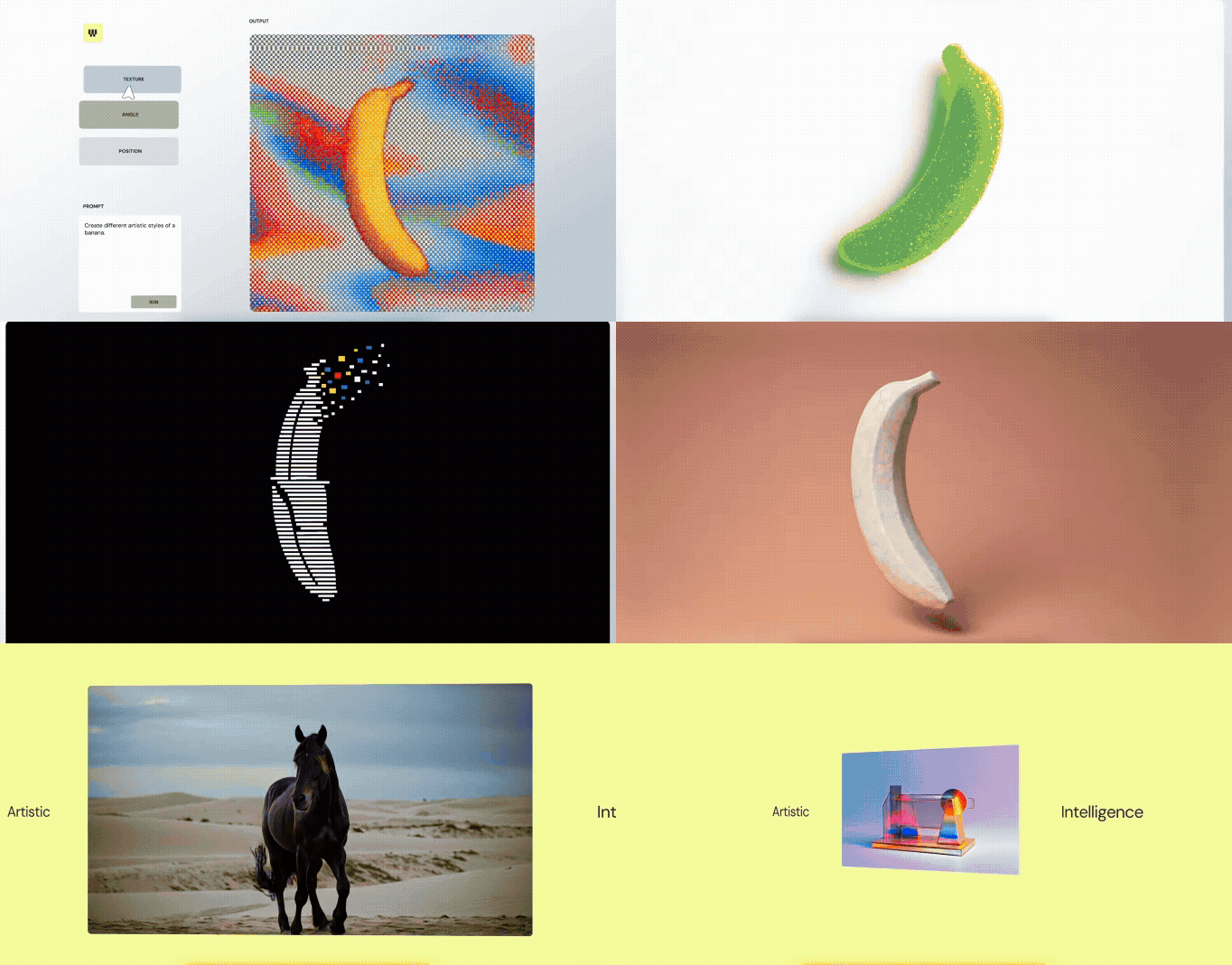
Figma’s acquisition of Weavy marks a clear step toward bringing generative media into the design tools creatives use every day. Weavy, now becoming Figma Weave, stood out for its ability to turn prompts into refined visuals while giving you real control over lighting, layers, and style. It made ideation fast without losing the craft.
Weavy signals a future where image generation, layout exploration, and visual refinement all happen inside one environment. For creatives, that means faster iteration, fewer tool swaps, and more freedom to explore ideas before locking into a direction.
Creative Hack: Story Driven Motion
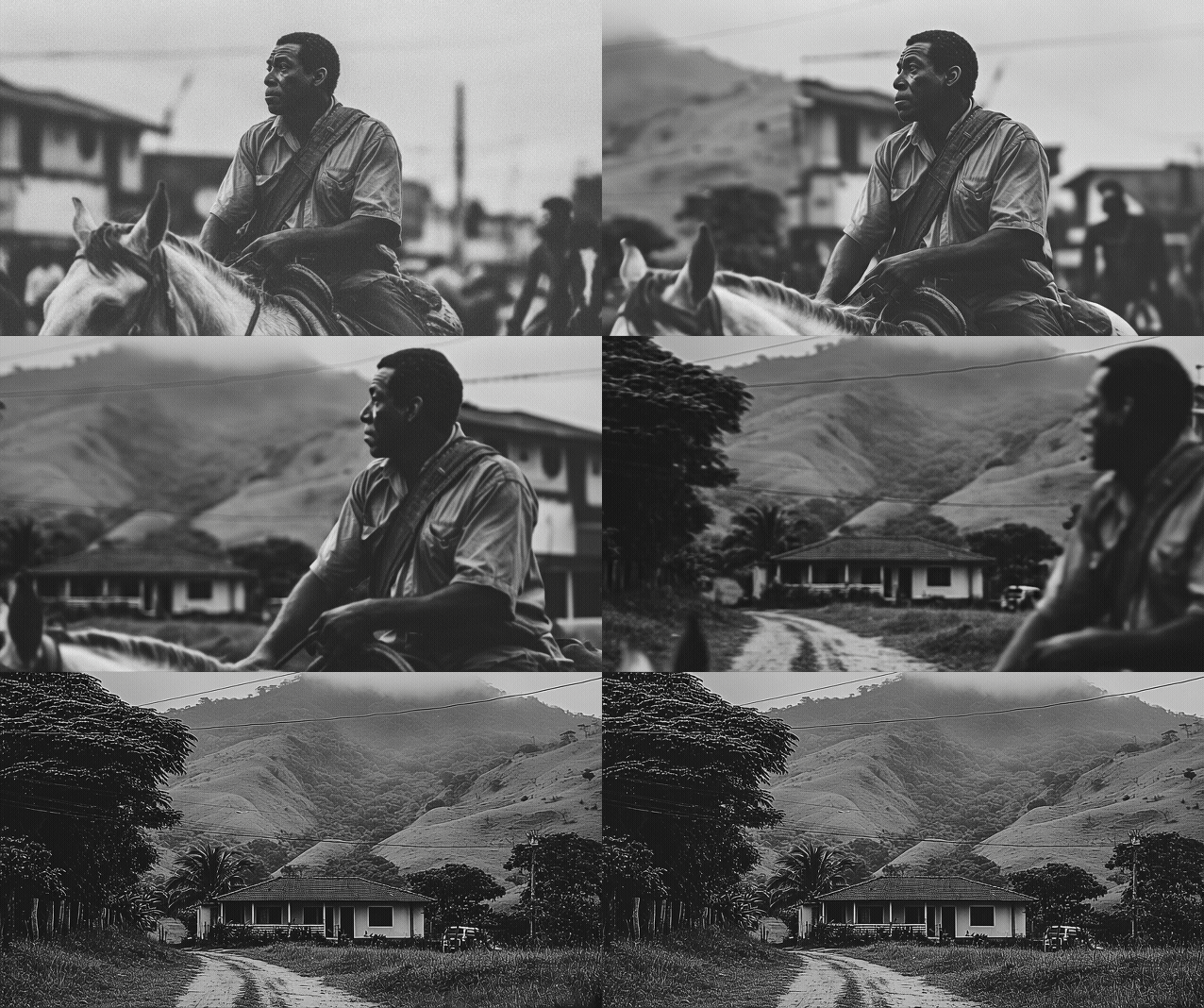
Want to create smooth, story-driven motion with MidJourney? This hack turns simple images into cinematic sequences with just two frames. Here’s how:
Start Frame: Generate your first image with the character or subject in place. This will be your opening shot.
End Frame: Create a blank or neutral background plate matching the scene, without the character.
Prompt: Combine the two frames in MidJourney video and guide the AI with a prompt like "Person walks out of the scene" to animate the transition.
In seconds, you’ve got a dynamic sequence that can be used as a keyframe animation for videos, intros, or storyboards. It’s a simple way to bring motion to your visuals without complex video software, giving your creations cinematic flair in minutes.
Community Spotlight: Amr Tahtawi
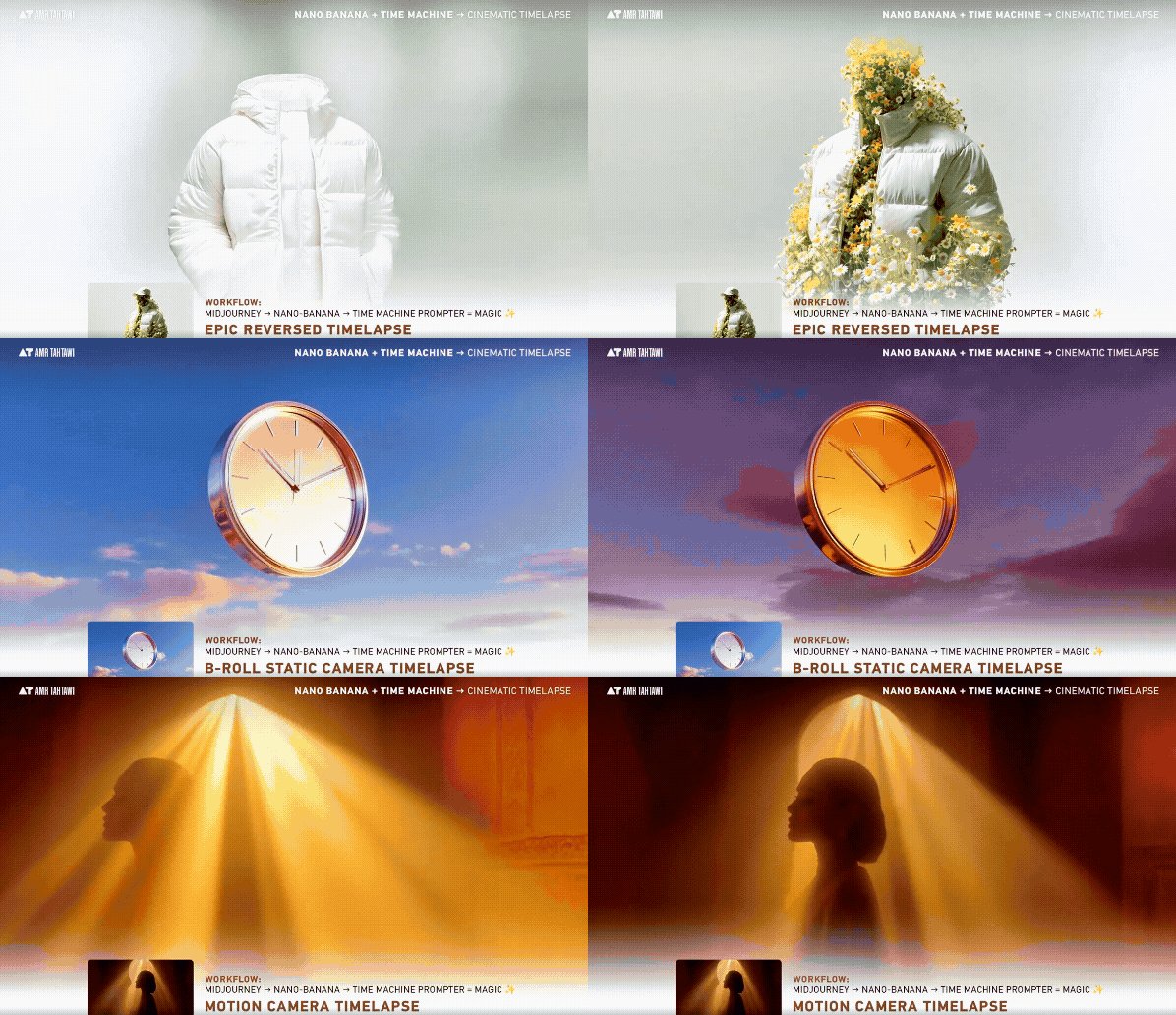
Amr Tahtawi is a globally recognized designer and AI educator known for blending generative technology with branding and visual storytelling. Ranked among the Top 100 AI art creators on LinkedIn and a Top 20 graphic designer in Africa and the Middle East, he has worked with leading clients across the world.
Through his content, teaching, and creative experiments, Amr demonstrates how AI is opening up new ways for designers to think, communicate, and build with intent. If you want to design with AI instead of just watching it evolve, Amr is a strong voice worth following.
This Week’s Flow State: Sum Wave Radio
Slide into the laid‑back grooves of Sum Wave Radio on Spotify. With smooth downtempo beats, mellow house vibes and chill electronic undertones, this playlist provides a relaxed acoustic‑electronic backdrop. Ideal for focused work, creative flow, or a calm unwind. Whether you’re coding, writing, or just easing into your evening, let Sum Wave’s mellow currents carry you through. Press play and settle into the vibe.

AI Trend: Weavy Video Compositor
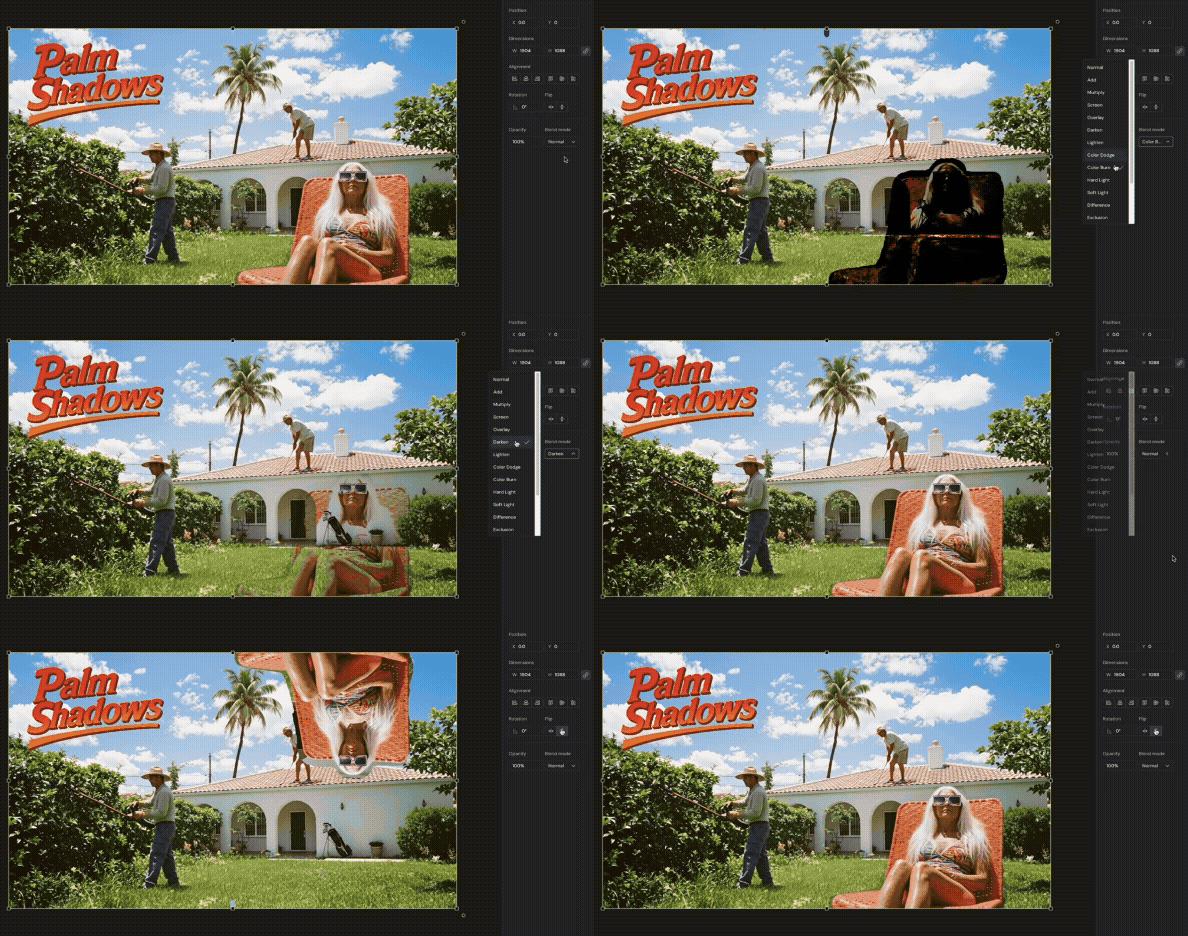
A major update to Weavy makes video creation more flexible and far easier to control. Video inputs can now be layered directly in the Compositor, which means you can build scenes that combine video, images, 3D assets, and text without jumping between tools. For anyone making AI-powered videos, this matters because it removes a lot of the technical friction that used to slow down creative decisions.
Mask-based cutouts also give you precise control over where characters and objects sit inside the scene. Instead of wrestling with backgrounds or awkward edges, you can place elements naturally and adjust them in real time. This is a step toward faster, more cinematic workflows for anyone producing AI video content.
AI vs. Reality: Can You Tell the Difference?
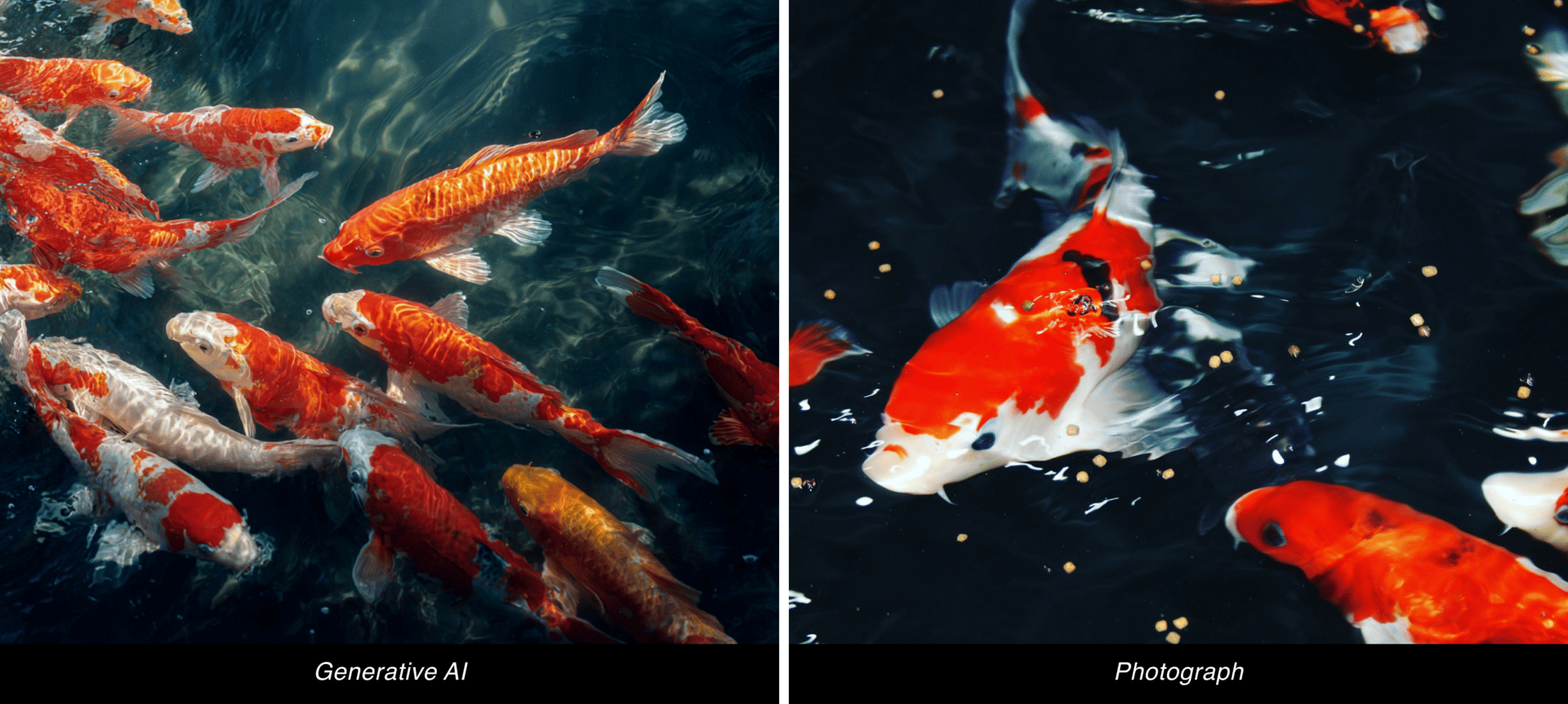
This week, we’ve got a brand-new pair of images to test your perception again. Think you can tell which is AI-made and which is the real deal? Take your guess and we’ll reveal the answer in the next issue!


Last week, we kicked off our AI vs. Reality face-off with koi fish, and now for the moment of truth, if you guessed the right one was the real deal, you got it right. The left image was created with MidJourney showing off the program’s unbelievable ability to generate impressive images.
Join the Conversation! AI is constantly evolving, unlocking new creative possibilities every day. What caught your attention this week? Hit reply and let us know. We’d love to hear from you.
Follow ZenRobot for more AI insights, and if you found this interesting, share it with someone who would too.
What did you think of today’s email? 🤖 ZenRobot wants to learn from you! |