- The Generative Path
- Posts
- Kling, AI Audio and Seamless Storytelling
Kling, AI Audio and Seamless Storytelling

Hello Friend,
Welcome back to the Generative Path, your weekly infusion of AI-powered creativity curated by ZenRobot to keep you ahead of the curve with the latest tools, trends, and techniques.
Quick update for you! The Gen AI Academy is almost underway and launching in January. See it as your subscription-based hub for mastering cutting-edge creative AI. Get weekly hands on lessons, unlimited how to videos and constant updates, everything you need to create standout work and stay ahead. Sign up now to receive updates for our January launch!
Back to the program… This week, we’re diving into Kling’s powerful new video updates, from dynamic scene editing in Kling 01 to cinematic clips with synced audio in Kling 2.6. You’ll also get a simple background-swap hack, meet an AI legend pushing generative storytelling forward, and flow into the immersive sounds of Monolink Radio. Let’s get into it
Feature of the Week: Kling’s New Video Models
Kling has released two major updates that give creators a faster, more flexible path from idea to finished video. Kling 01 is the new multimodal model designed for full creative control. You can generate scenes from text or images, refine them with natural language edits, and keep characters and props visually consistent across multiple shots. It is built for iteration, letting you explore angles, lighting, and style without breaking continuity.
Kling 2.6 focuses on output. It generates high quality 1080p video with synchronized native audio in one pass. Dialogue, ambient sound, motion, and facial expression are produced together, giving you short cinematic clips that feel complete without extra post production. The update also improves prompt accuracy, motion stability, and overall realism.
Use 01 when you want to explore, revise, and craft your scenes. Use 2.6 when you want polished, ready to share video with sound in a single step. Together they give you a full workflow from concept to final cut.
Creative Hack: Kling 01 Background Swaps
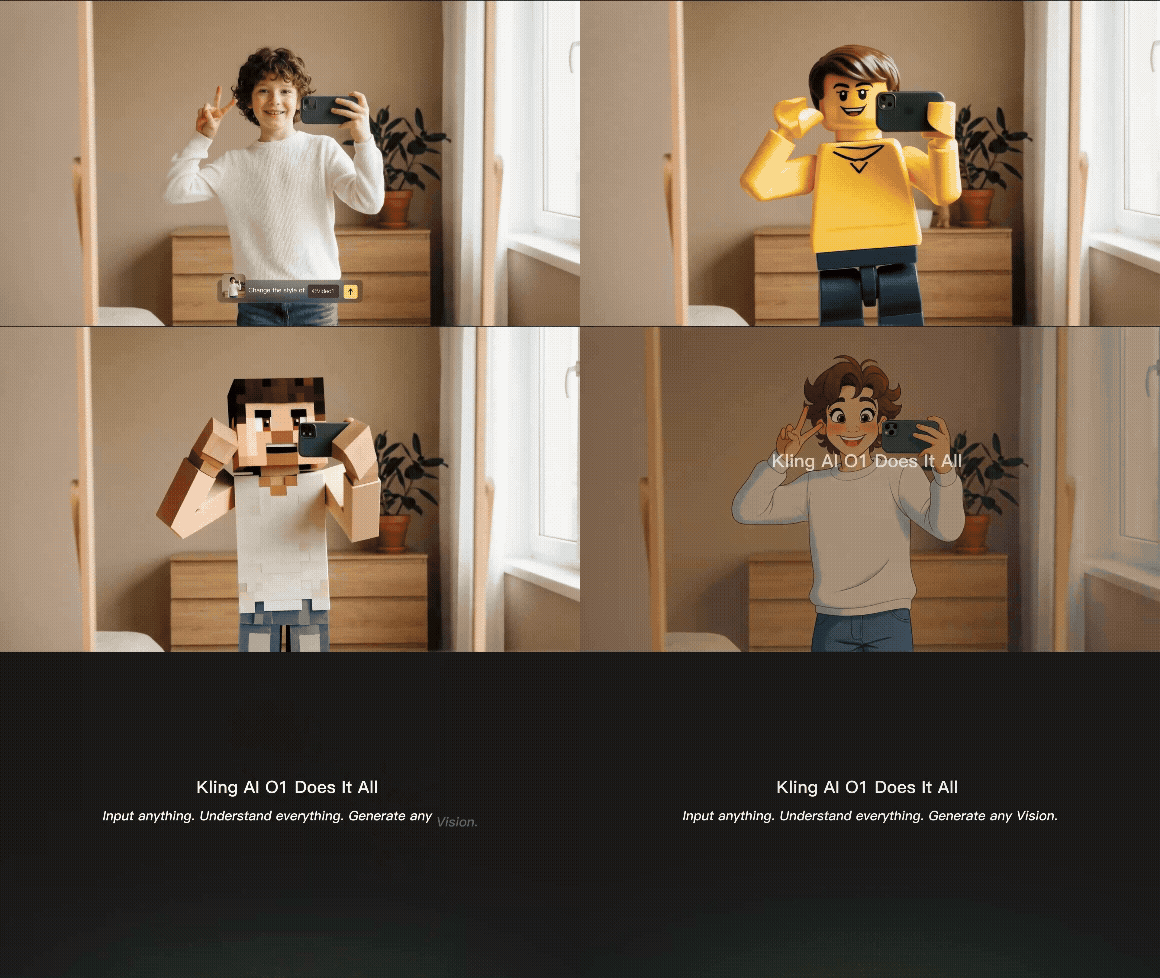
Swap Backgrounds in Seconds with Kling 01. Kling 01 lets you change scenes by simply talking to it. Upload your clip, tell Kling which object or person should stay, and describe the new environment you want. The model handles the rest, isolating your subject and blending it into the new background with clean edges, consistent lighting, and natural motion. It is a fast way to test creative directions, build variations, or add cinematic polish without reshoots.

Community Spotlight: Jan-Willem Blom
Jan-Willem Blom is redefining what it means to be a filmmaker in the age of AI. As the driving force behind Videostate, he blends cinematic storytelling with generative tools to push the boundaries of what’s possible in video creation. Using platforms like Krea, Runway, and ElevenLabs, Jan-Willem crafts visually rich shorts, trailers, and concept pieces that feel bold, fast, and expressive, without losing narrative intent. For creators exploring how AI can accelerate and elevate video production, his work offers a compelling blueprint.

This Week’s Flow State: Monolink Radio
Step into the moody, immersive world of Monolink Radio on Spotify. Blending soulful vocals, organic instrumentation and electronic grooves, this playlist creates a rich, atmospheric backdrop that moves with subtle power and emotional depth. It’s perfect for nights of focused work, quiet reflection, or letting your mind drift while you work. Press play and let monolink’s signature fusion carry you through the flow.

AI Trend: Kling
Kling has released a pair of updates that signal just how fast the video landscape is evolving. Kling 01 introduces a unified model that can generate, edit, restart, and extend footage within a single system. Instead of jumping across tools, creators can now refine an existing shot, replace backgrounds, or evolve a scene’s visuals without breaking workflow. It is a step toward video models that behave more like true editors rather than isolated generators.
Kling 2.6 pushes the frontier on another front: audio. The update lifts previous limitations around sound effects and voice modeling, enabling everything from clean dialogue to full singing performances. Combined with its improved output quality at 1080p, Kling 2.6 brings sound and image closer to broadcast standards. Together, these releases show Kling building momentum toward fully integrated, end to end video creation where visuals and audio evolve with the same precision and control.
AI vs. Reality: Can You Tell the Difference?
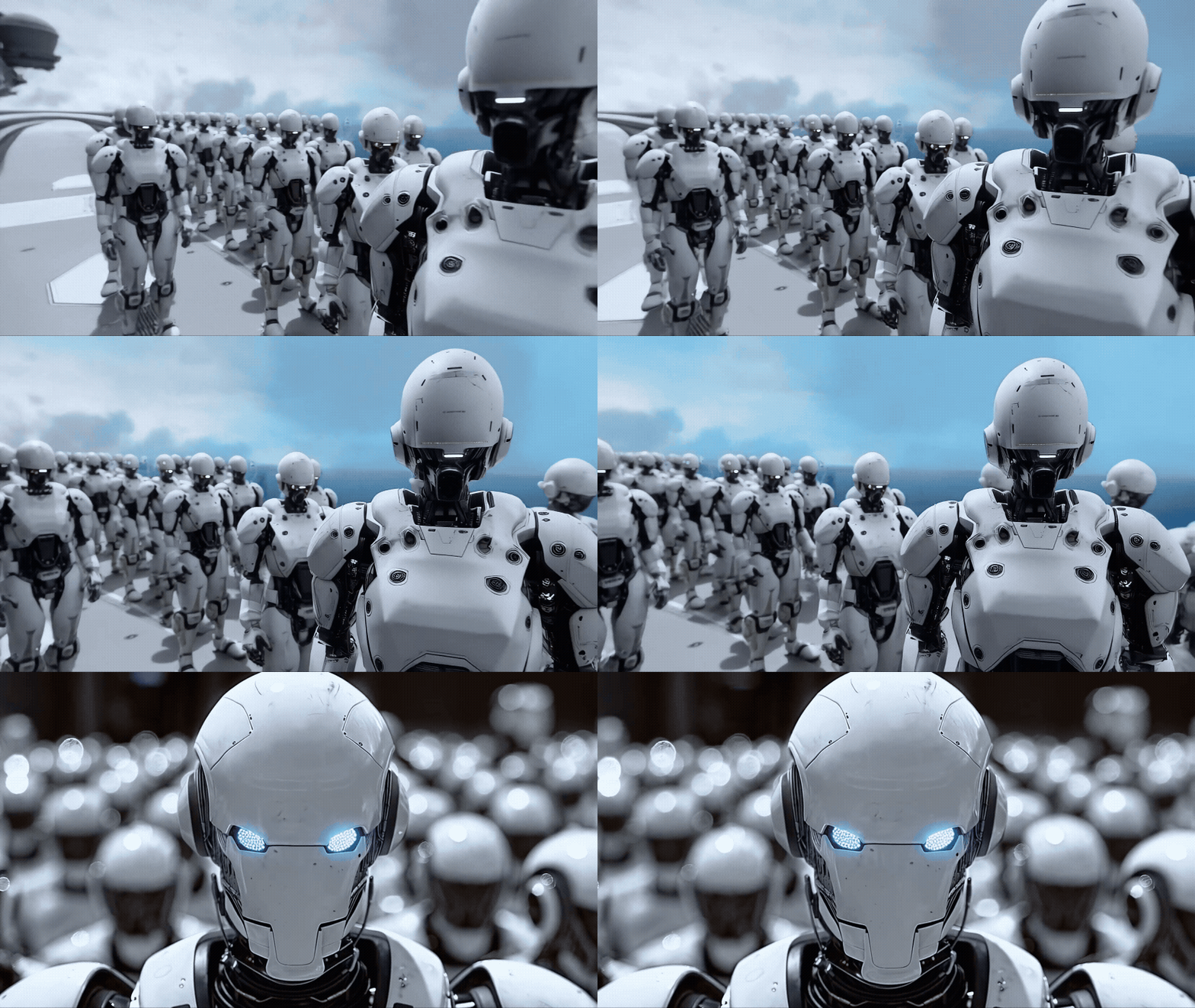
This week, we’ve got a brand-new pair of images to test your perception again. Think you can tell which is AI-made and which is the real deal? Take your guess and we’ll reveal the answer in the next issue!


Last week, we kicked off our AI vs. Reality face-off with throwbacks to the past, and now for the moment of truth, if you guessed the right one was the real deal, you got it right. The left image was created with MidJourney showing off the program’s impressive ability to generate hyperrealistic retro images.

Join the Conversation! AI is constantly evolving, unlocking new creative possibilities every day. What caught your attention this week? Hit reply and let us know. We’d love to hear from you.
Follow ZenRobot for more AI insights, and if you found this interesting, share it with someone who would too.
What did you think of today’s email? 🤖 ZenRobot wants to learn from you! |